
Platform
platform
Interactive 2D & 3D floor plans

Rapid flor plan digitization

Reporting & business intelligence

Contextualize any type of data

Integrate & embed Smplrspace

Control interactions, UX, and data

Real estate portfolio digitization

Portfolios in real-world context

Services
Floor plan digitization

Digitization services

Data mapping

Mapping of spatial entities

Solutions
By organization
Owners & operators

Portfolio-wide intelligence

Software companies

Interactive digital floor plans

By asset type
Retail

Spatial retail insights

Commercial office

Smarter office decisions

Multifamily

Unit-to-portfolio clarity

Resources
Why Smplrspace

Learn why Smplrspace is the visual canvas your real estate portfolio can rely on.

Learn more
Help center

Practical guides and insights

Support

Reach out to our support team

What's new

Product updates

System status

Platform performance

Developers
Quickstart guide

A practical starting point for developers new to Smplrspace.

Learn more
Developer docs

Starting point for developers

API reference

All available APIs

Live integration examples

Reach out to our support team

Pricing
Log inContact sales
Contact sales
Organizations
What are organizations for?
How to create an organization?
How to invite members to my organization?
How to transfer spaces?
Editing spaces
Coming soon
Billing
Coming soon
Help center
Organizations

How to transfer spaces?

Transfer floor plans from your Personal spaces to Organization.

Find the space you wish to transfer in your Personal spaces area. Click on "Transfer" in the menu opened by the three dots at the bottom-right corner of the card.

Select the organization you wish the space to be transferred to. The space would be transferred as a copy by default. Unchecking "Move space as a copy" will permanently remove the space from your individual account. You won’t be able to move it back from the organization account.
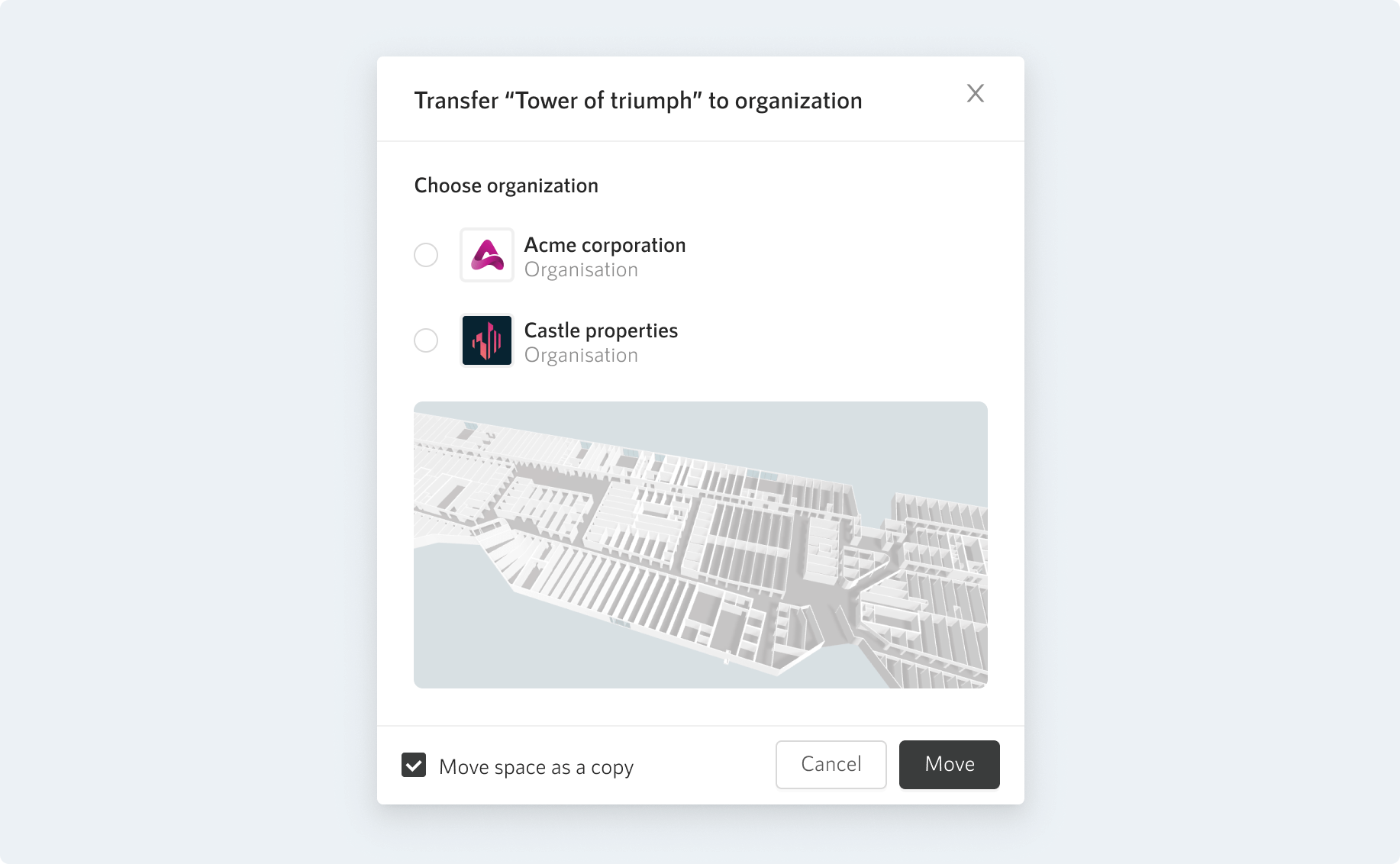
Where can you transfer spaces from?

You can transfer floor plans only from your Personal spaces for now. Transferring spaces between organizations and to individual accounts is not yet possible but it is on our roadmap.

‍

Need more info?

We're always happy to answer your questions in case some things are missing, not clear, or if you simply prefer asking by email.

Contact support

For developers

Explore the API, SDKs, and documentation to integrate Smplrspace into your product.

Devs quickstart
Join our newsletter

Be the first to hear about product updates, new features, and what’s next for smarter property data.

Thank you! Your submission has been received!
Oops! Something went wrong while submitting the form.
Redefining communication about spaces.
Contact salesPricing
Platform
Interactive 2D & 3D floor plansReporting & business intelligenceIntegrate & embed SmplrspaceReal estate portfolio digitization
Services
Floor plan digitizationData mapping
Solutions
by organization
Owners & operatorsSoftware companies
by asset type
RetailCommercial officeMultifamily
Resources
Why SmplrspaceHelp centerSupportWhat's newSystem status
Developers
Developer quickstartDeveloper docsAPI referenceLive integration examples
About
CompanyCareers
© 2026 Smplrspace | All rights reserved.
Privacy policyTerms of useCookies
Smplrspace status